
How to Register on Catawiki
Updated:
Now we will explain step by step how to register on the platform where you can buy and sell rare coins. It's free, easy, and only takes about a minute. After signing up, place your first bid or submit a lot for sale.
Step 1 of 4
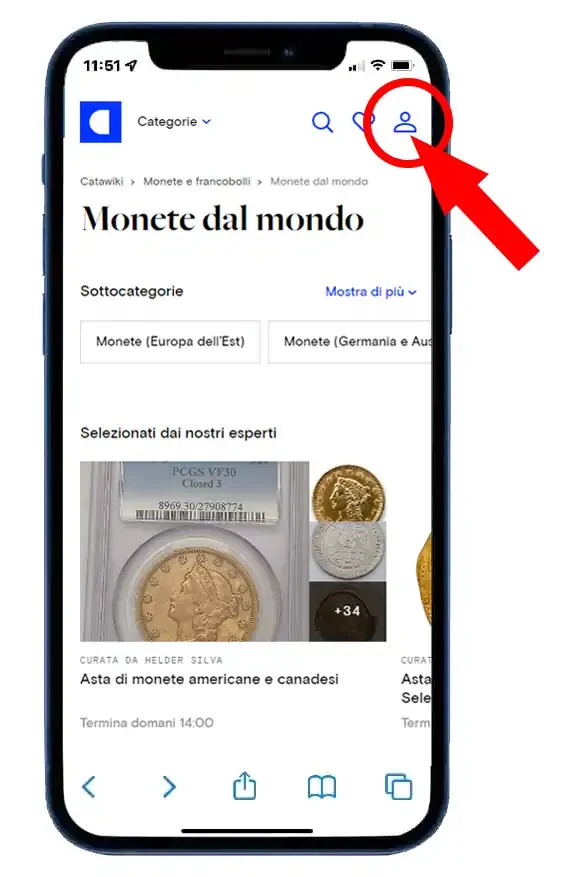
First, click here to register and you will be redirected to the main coin auction page, where you will need to give the usual consent for cookies. Now, at the top right, you will find the icon to access the registration, like the one below in the photo.
Step 2 of 4
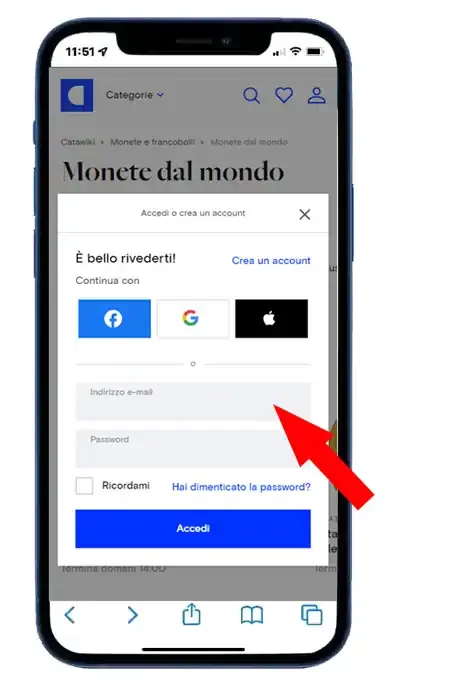
After clicking the circled icon in the red photo, the registration panel appears, as shown in the photo below.
You have 4 options to choose from. If you click “continue with Google” you can register automatically using your email and Google account if you have one. The same goes for “continue with Facebook” where you can use your Facebook account if you have one or your Apple ID.
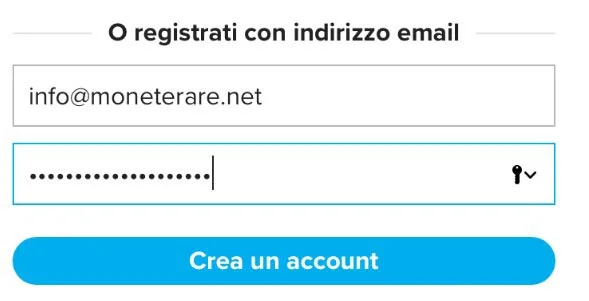
Otherwise, simply use the fourth option, which is to enter your email address (make sure it is spelled correctly) and a password. Then press “create an account”.
Step 3 of 4
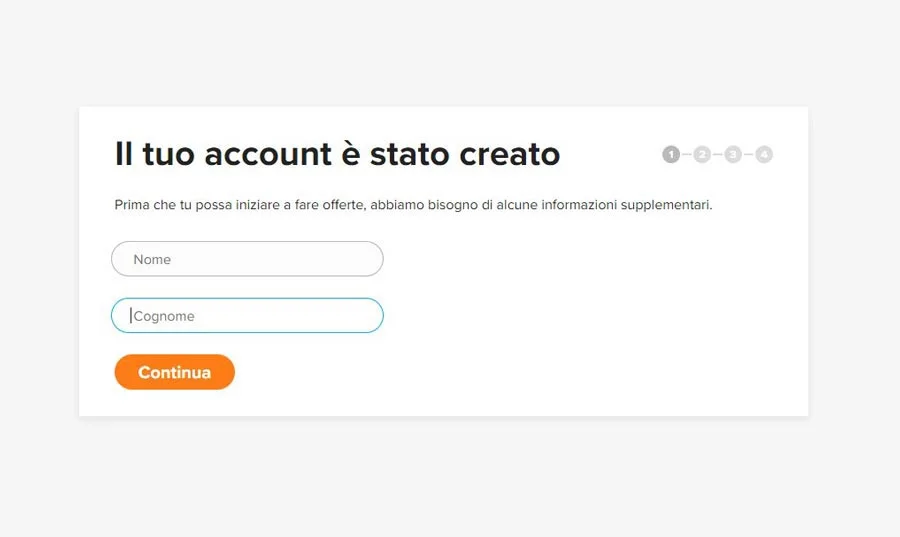
Very well, your account has already been created and it’s time to add some information needed to confirm that you are a real user. You will see a screen like this:
Enter your first and last name and click “Continue”. Then enter your address, the one where you want the lots and coins you win at auction to be shipped.
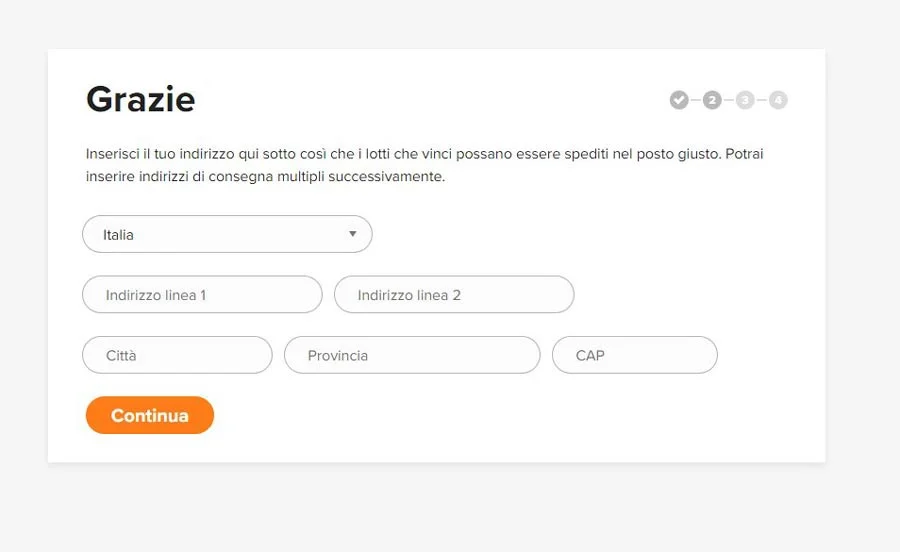
Also enter your phone number and click “send code”. You will receive an SMS on your phone with a code that you need to write on the page. A quick and secure way to confirm that you are a real user.
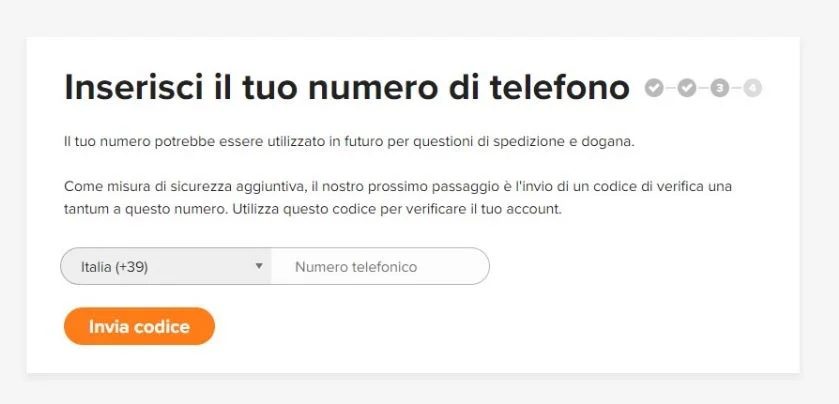
You will see a screen like the one above, take your phone and enter the code you received via SMS on the page.
Step 4 of 4
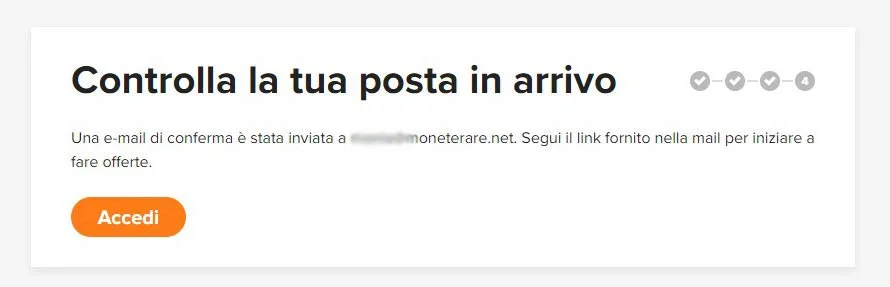
Now your account is confirmed and you are recognized as a real person.
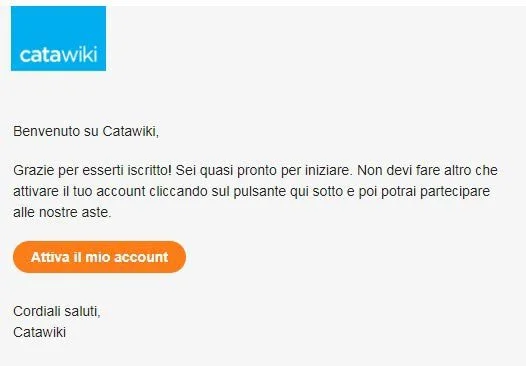
All you have to do is check your email, you will see that you have received an email like this:
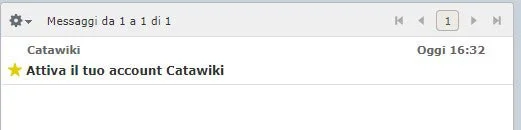
Open the email, which looks like the photo below, and click the orange button in the email “Activate my account.” Now you are a registered and active user. Next, place your first bid on a lot or submit a lot for sale. Next, place your first bid on a lot or submit a lot for sale.
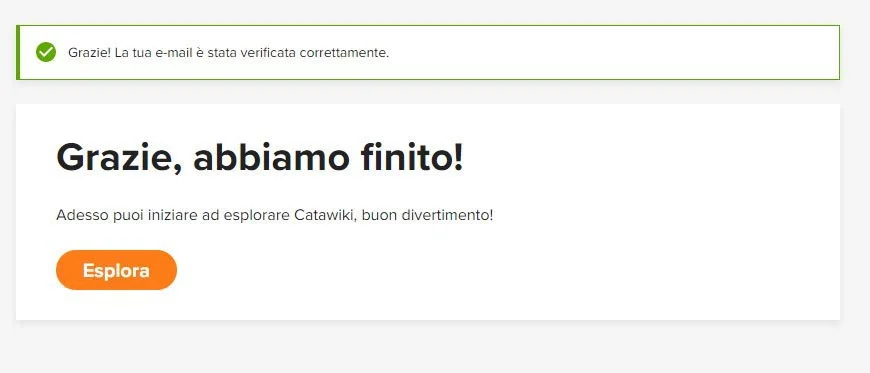
You will be redirected to the site and now you have free access to the portal where you can view all the auctions, place bids, win lots, and receive your coins at home safely.
You can check from your account which auctions you are winning, in which auctions your bid has been surpassed, and you also have the option to be notified by alerts.
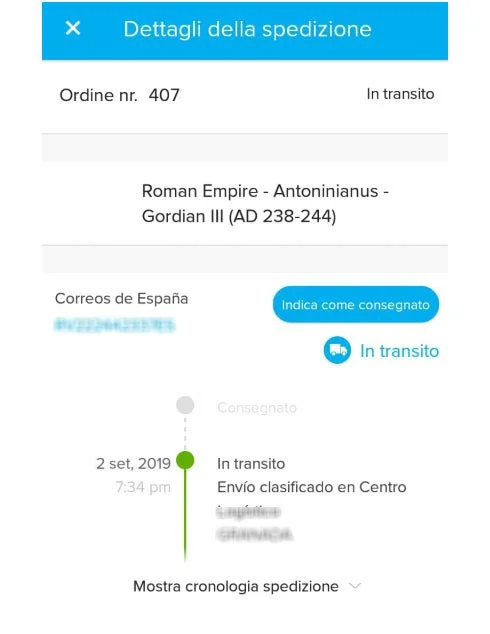
From your account, you can also check the status of shipments and track them directly. You can also communicate with the sellers who sold you the coins.
Welcome to the fantastic and exciting world of online coin auctions. You can also check the coins currently up for auction directly from our site on the page: numismatic auctions.
Didn’t find what you were looking for? Check these topics:
- To access the registration page of Catawiki, click here.
- To see which coins are currently up for auction, click here.
- To see how to buy a rare coin click here: buy coins.
- To see how to sell your coins click here: sell coins
- To see how an auction works click here: how Catawiki auctions work.
Frequently asked questions
How do I register on Catawiki?
Open the registration link in this guide, accept cookies, then create an account with email and password or with Google, Facebook or Apple. Confirm name, address and phone with an SMS code and activate the account from the email. Then place your first bid or submit a lot for sale.
Is Catawiki registration free?
Yes: creating an account is free. You pay only if you win an auction (hammer price + buyer fee + shipping) or, as a seller, the success fee only if the lot sells.
Where to sell or buy coins
Do you own coins like these, a lot, or a rare piece? Register on Catawiki and place your first bid, or submit a lot for sale — signing up is free. For years we have used this auction site, our partner. Browsing auctions is not enough: start with registration and a first action (a bid or a listing). Register and start.